Problem
Premaster has a default setting that automatically resets the date and number format at the start of each new year (for example at end of 2016 purchase order number CRL-16-2098 becomes CRL-17-2001. For REQs CRL-16-5567 becomes CRL-17-5001)
However at the beginning of 2017, many vessels remained at 16 and all vessel number sequences were reset to 0001 rather than 2001 (PO Office) and for REQs they were reset to 0001 rather than 5001.
According to Olaf this is because the reset is based on the vessel resetting the system numbers (and not the Office). If vessel is in layup with no replication then the office number does not get updated.
Resolution
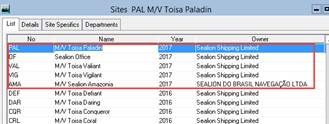
Manually change the Year in the Setup, Sites menu
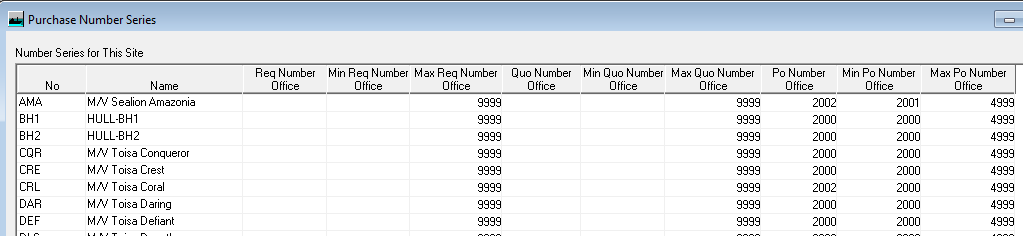
And manually change the number sequence as below in Procurement, Setup, Procurement Number Series

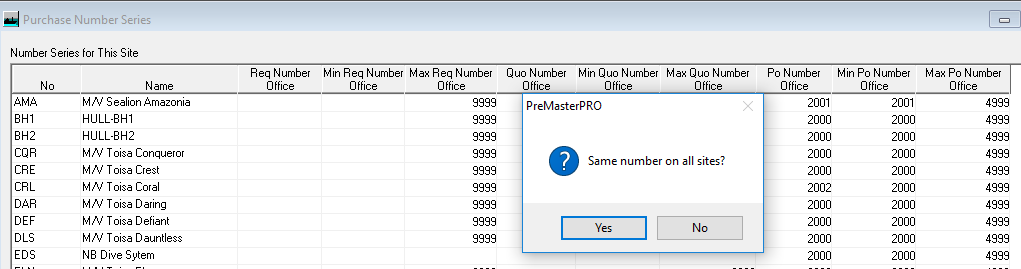
Tip: Change the top row number cell and on moving to a different cell you will be prompted to change all column to the same number